
How to Setup a Client ID and Client Secret (Twitch Sub Private Pages)
How to setup a Client ID and Client Secret
Section titled “How to setup a Client ID and Client Secret”This guide is going to walk you through setting up a new application on dev.twitch.tv. This is necessary for use with our new Twitch Integration Plugin to generate an Auth Token.

Twitch Sub Private Pages
Visit https://dev.twitch.tv/
Login to Twitch and click authorize.
Click Your Dashboard.
Click Register Your Application.
Set Name to something related to your Twitch name.
Set OAuth Redirect URLs to the URL of your private page. If you want your private page to live at /private-page/ then enter your full URL like this: https://www.chess-coach.net/private-page/
Set Category to Website Integration.
Click Create.
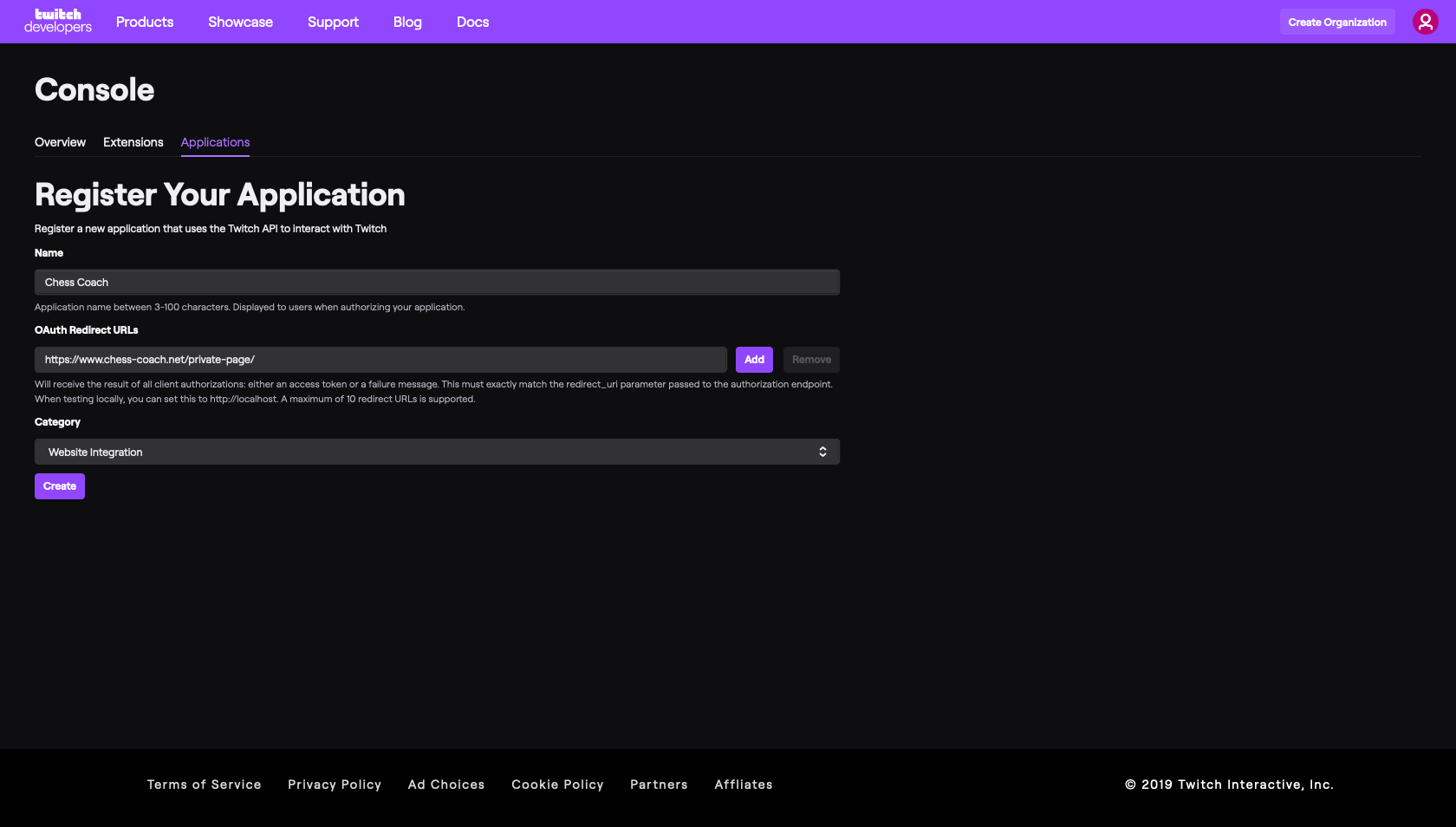
Register Your Application
Now click Manage.
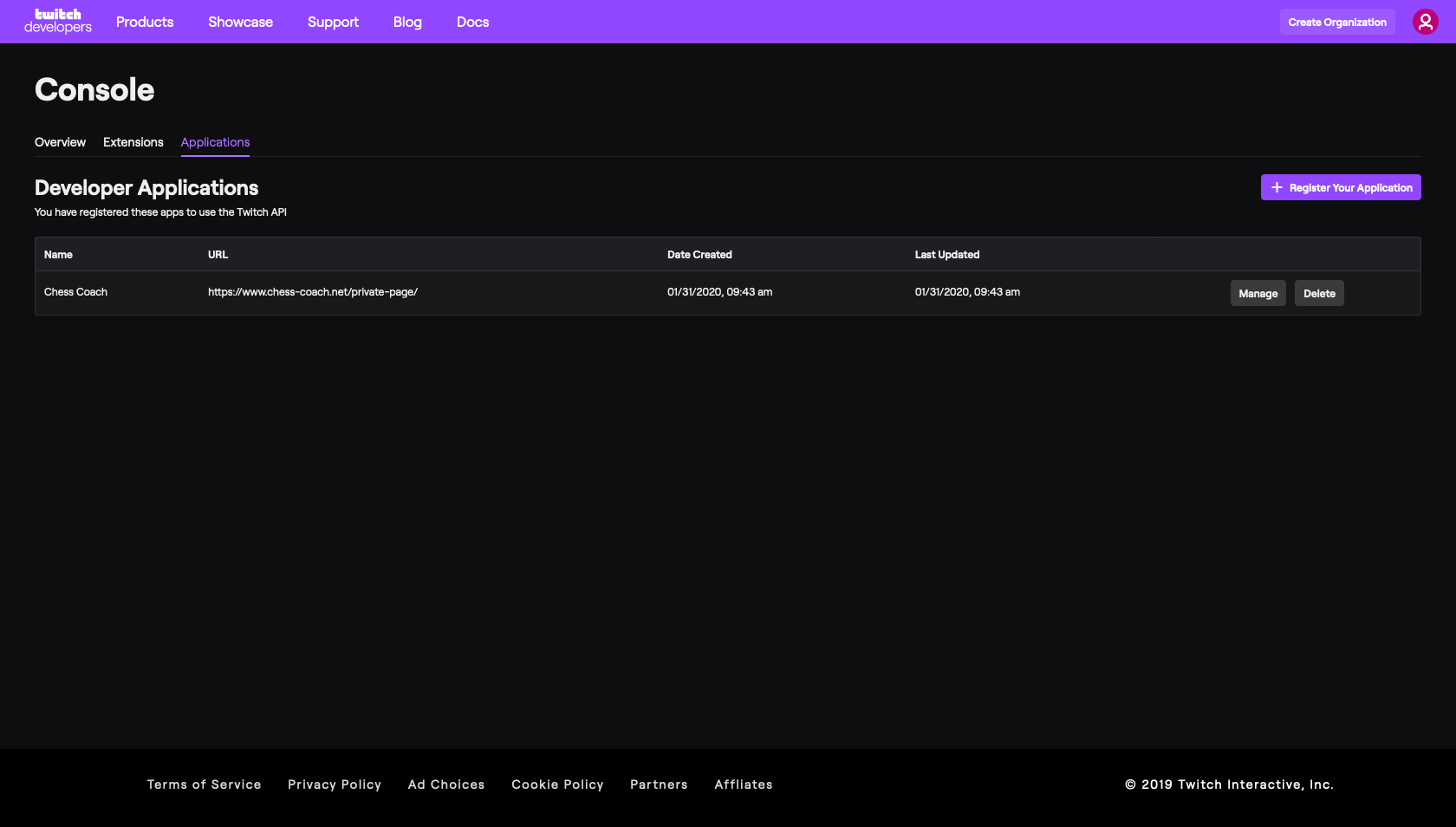
Application Console
From this page you want to copy the Client ID and save it for later.
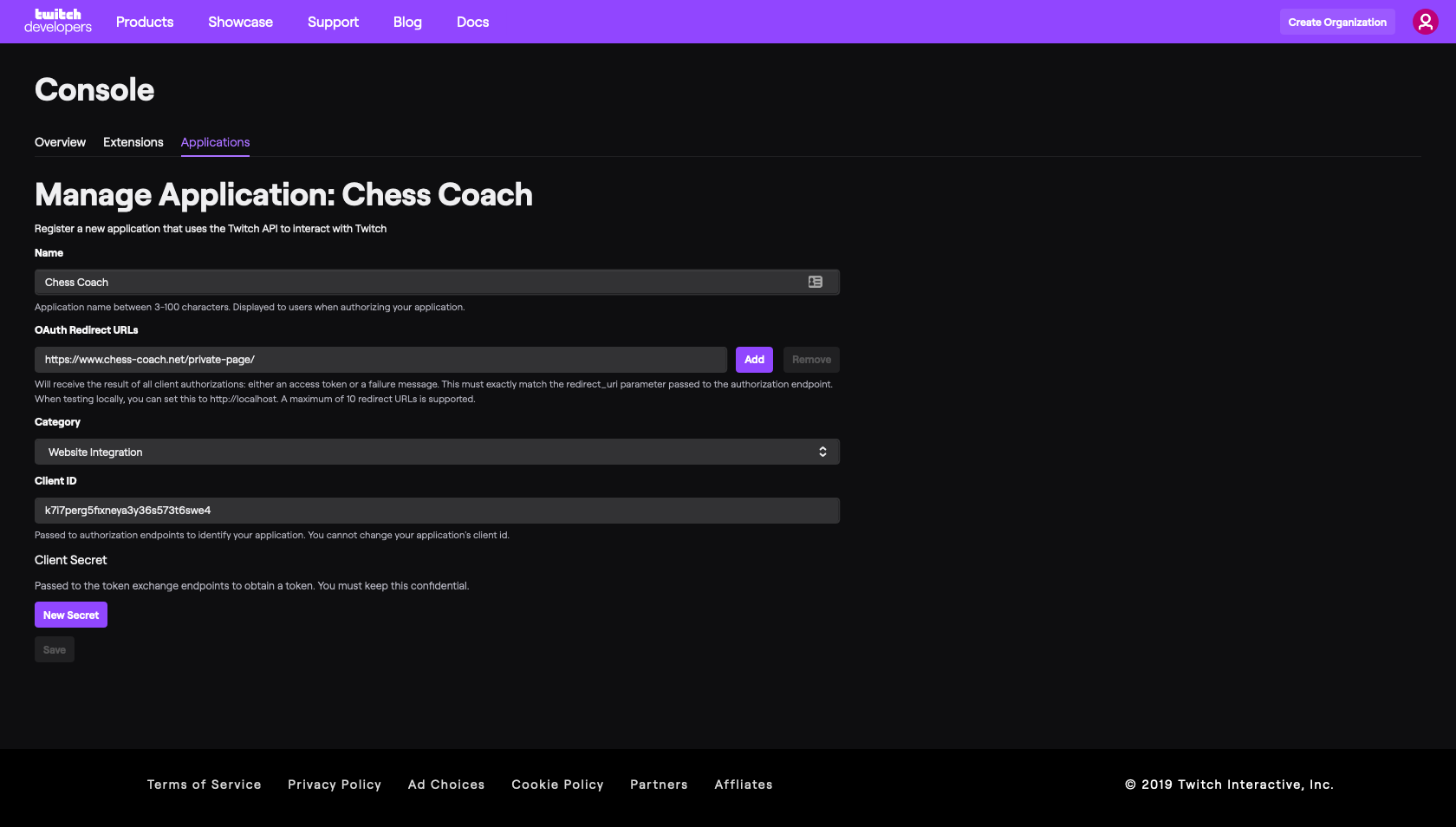
Manage Application
Now you want to click New Secret.
Copy the Client Secret which has been generated and save it for later.
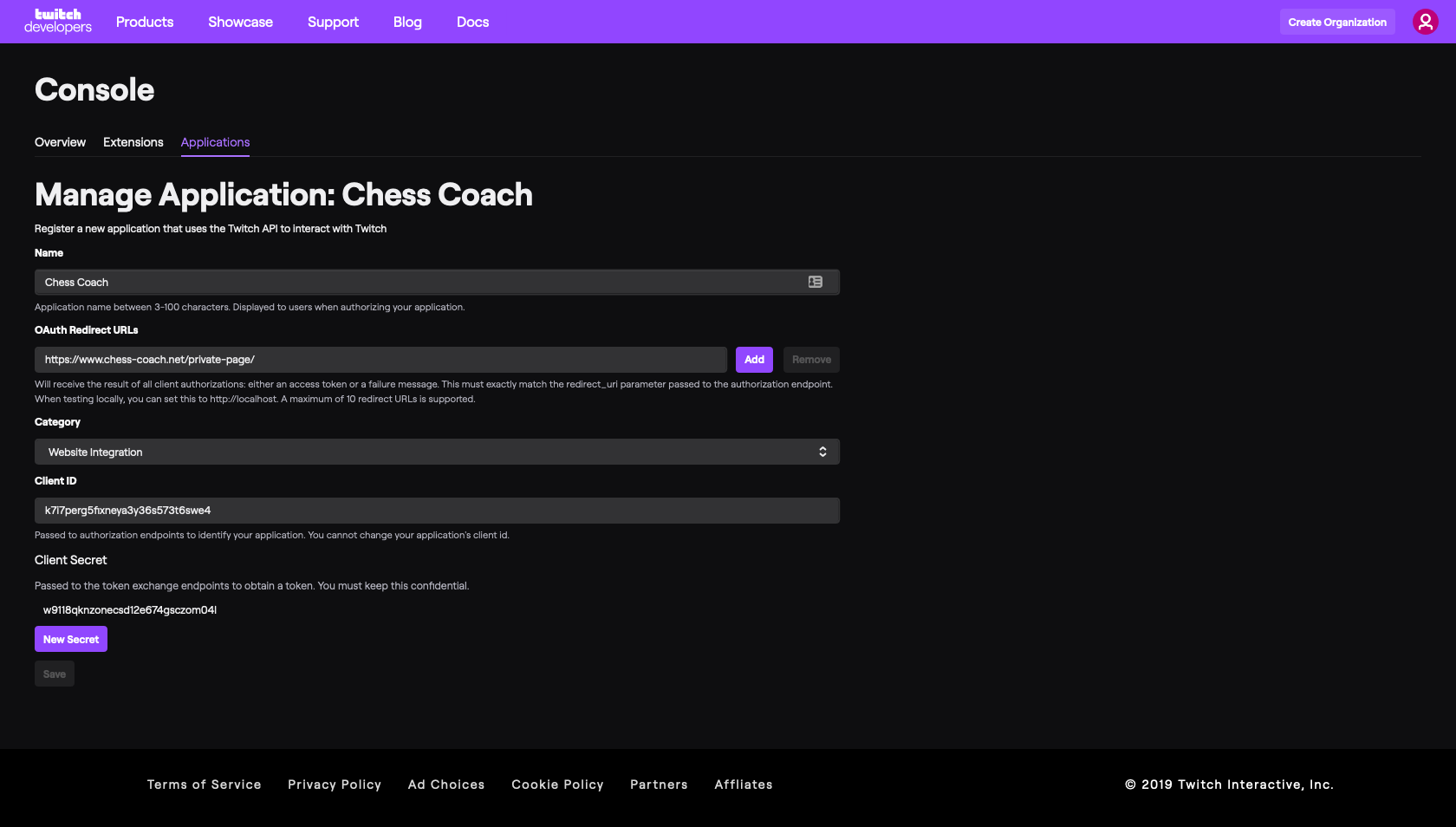
Client ID and Client Secret
You may now return to your Twitch Integration settings page in wordpress and paste these details in to connect to Twitch API.