
YouTube Integration Layout Guide
StreamWeasels YouTube Integration comes with many different layouts. These layouts have their own settings on top of the main plugin settings. You can find out more about each of the StreamWeasels Twitch layouts below:
YouTube Wall (FREE / ESSENTIALS)
Section titled “YouTube Wall (FREE / ESSENTIALS)”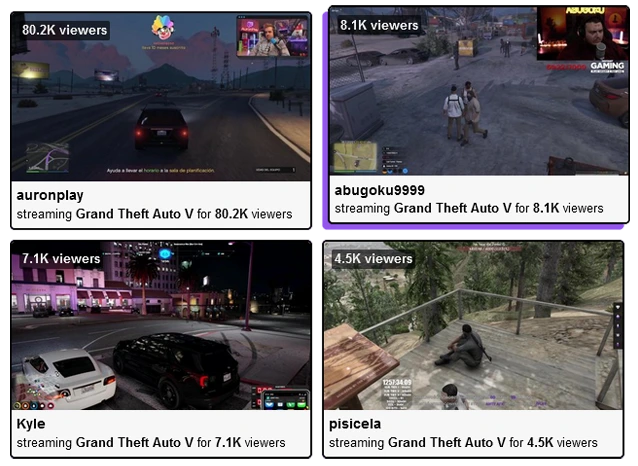
YouTube Wall - Classic YouTube layout for displaying many videos at once.
YouTube Wall Shortcode Attributes
Section titled “YouTube Wall Shortcode Attributes”Each layout has it’s own settings page, which includes a few settings which are unique to that particular layout. You can customise the settings on the settings page or you can customise the settings directly on your shortcodes, with the attributes below:
For example:
[sw-youtube layout="wall" wall-column-count="4"]| Field | Attribute | Values | Description |
|---|---|---|---|
| Column Count | wall-column-count="" | Number | Set number of columns to divide up streams in wall. |
| Column Spacing | wall-column-spacing="" | Number | Set pixel spacing between columns. |
YouTube Showcase (FREE / ESSENTIALS)
Section titled “YouTube Showcase (FREE / ESSENTIALS)”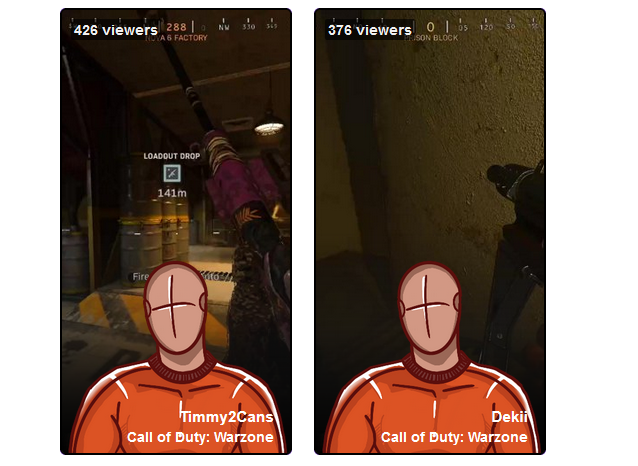
YouTube Showcase - Display your YouTube #Shorts
YouTube Showcase Shortcode Attributes
Section titled “YouTube Showcase Shortcode Attributes”Each layout has it’s own settings page, which includes a few settings which are unique to that particular layout. You can customise the settings on the settings page or you can customise the settings directly on your shortcodes, with the attributes below:
For example:
[sw-youtube layout="showcase" showcase-vertical-placement="top"]| Controls Background Colour | showcase-controls-bg-colour="" | Colour Hex Code | Set background colour of arrow controls. |
|---|---|---|---|
| Controls Arrow Colour | showcase-controls-arrow-colour="" | Colour Hex Code | Set colour of controls arrow. |
YouTube Player (FREE / ESSENTIALS)
Section titled “YouTube Player (FREE / ESSENTIALS)”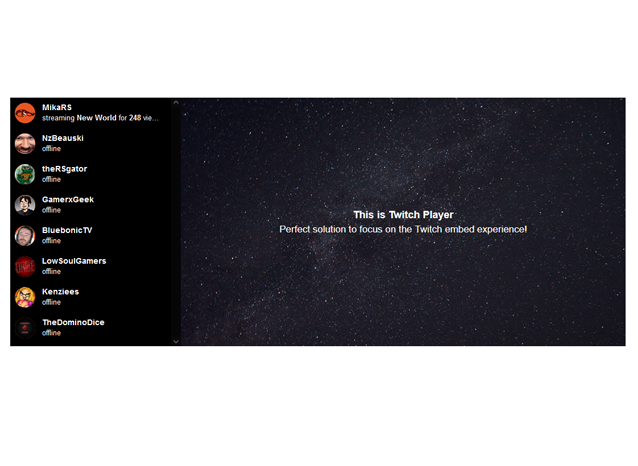
YouTube Player - Compact, cinema-style layout, great for embedded video experience.
YouTube Player Shortcode Attributes
Section titled “YouTube Player Shortcode Attributes”Each layout has it’s own settings page, which includes a few settings which are unique to that particular layout. You can customise the settings on the settings page or you can customise the settings directly on your shortcodes, with the attributes below:
For example:
[sw-youtube layout="player" player-welcome-bg-colour="#000"]| Field | Attribute | Values | Description |
|---|---|---|---|
| Welcome Background Colour | player-welcome-bg-colour="" | Colour Hex Code | Set a background colour for welcome screen. |
| Welcome Logo | player-welcome-logo="" | Image URL | Set a logo image to display on welcome screen. |
| Welcome Background Image | player-welcome-image="" | Image URL | Set a background Image on welcome screen. |
| Welcome Text 1 | player-welcome-text="" | Input Text | Set text to display on welcome screen. |
| Welcome Text 2 | player-welcome-text-2="" | Input Text | Set a second line of text to display on welcome screen. |
| Welcome Text Colour | player-welcome-text-colour="" | Colour Hex Code | Set colour of previously set welcome text. |
| Stream List Position | player-stream-list-position="" | left | Set stream list position to the left of the player. |
| right | Set stream list position to the right of the player. | ||
| none | No stream list displayed next to the player. |
YouTube Status (FREE / ESSENTIALS)
Section titled “YouTube Status (FREE / ESSENTIALS)”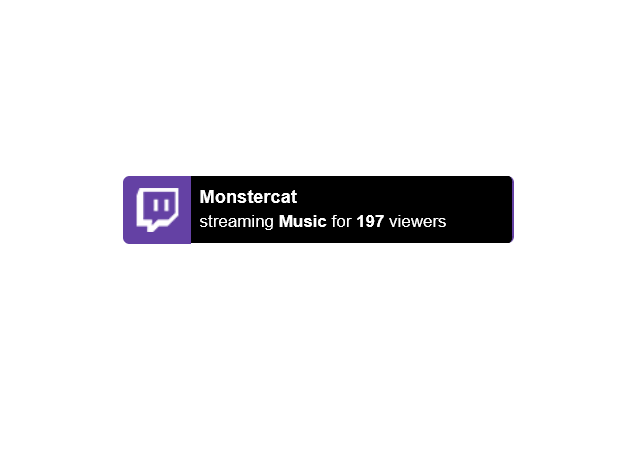
YouTube Status - Simply display YouTube live status on every page on your website.
YouTube Status Shortcode Attributes
Section titled “YouTube Status Shortcode Attributes”Each layout has it’s own settings page, which includes a few settings which are unique to that particular layout. You can customise the settings on the settings page or you can customise the settings directly on your shortcodes, with the attributes below:
For example:
[sw-youtube layout="status" status-placement="static"]| Field | Attribute | Values | Description |
|---|---|---|---|
| Show on Every Page | none | 1 | Global setting to enable Twitch Status on every page. |
| Hide Offline | status-hide-offline | 1 | Hide Twitch Status when all users are offline. |
| 0 | Show Twitch Status when all users are offline. | ||
| Placement | status-placement | Absolute | Display Twitch Status fixed to the window in the corner. |
| Static | Display Twitch Status exactly where you placed it on the page. | ||
| Vertical Placement | Top | Display Twitch Status at the top. | |
| Bottom | Display Twitch Status at the bottom. | ||
| Horizontal Placement | Left | Display Twitch Status at the left. | |
| Right | Display Twitch Status at the right. | ||
| Vertical Distance | status-vertical-distance | Number | Choose the distance (in pixels) from the edge. |
| Horizontal Distance | status-horizontal-distance | Number | Choose the distance (in pixels) from the edge. |
| Custom Logo | status-custom-logo | Image URL | Upload a custom logo to replace the Twitch logo. |
| Logo Background Colour | status-logo-background-colour | Colour Hex Code | Change the background colour of the logo. |
| Accent Colour | status-accent-colour | Colour Hex Code | Change the accent colour of Twitch Status. |
| Controls Background Colour | status-carousel-background-colour | Colour Hex Code | Change the background colour of the left / right arrows. |
| Controls Arrow Colour | status-carousel-arrow-colour | Colour Hex Code | Change the colour of the left / right arrows. |
| Disable Carousel | status-disable-carousel | 1 | Enable the carousel when multiple channels are displayed. |
| 0 | Disable the carousel when multiple channels are displayed. | ||
| Enable Classic | status-enable-classic | 1 | Enable classic mode to simply display an online / offline message. |
| 0 | Disable classic mode. | ||
| Classic Online Text | status-classic-online-text | Text Input | When classic mode is active, choose custom online text. |
| Classic Offline Text | status-cllassic-offline-text | Text Input | When classic mode is active, choose custom offline text. |
YouTube Feature (PRO)
Section titled “YouTube Feature (PRO)”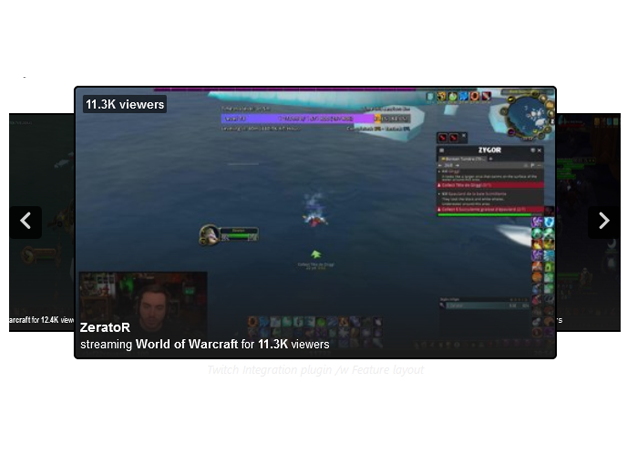
YouTube Feature - Slick, professional-style layout inspired by the YouTube homepage.
YouTube Feature Shortcode Attributes
Section titled “YouTube Feature Shortcode Attributes”Each layout has it’s own settings page, which includes a few settings which are unique to that particular layout. You can customise the settings on the settings page or you can customise the settings directly on your shortcodes, with the attributes below:
For example:
[sw-youtube layout="feature" feature-embed-position="inside"]| Field | Attribute | Values | Description |
|---|---|---|---|
| Embed Position | feature-embed-position="" | Above | Embed stream content above the feature carousel. |
| Below | Embed stream content below the feature carousel. | ||
| Inside | Embed stream content inside the feature carousel. | ||
| Controls Background Colour | feature-controls-bg-colour="" | Colour Hex Code | Background colour of the controls arrow. |
| Controls Arrow Colour | feature-controls-arrow-colour="" | Colour Hex Code | Colour of controls arrow. |
| Skew | feature-skew="" | 1 | Add a skew or slant effect to the feature carousel. |
| 0 | Do not add a skew effect. |